
Screen carriers in under 60 seconds — with fleet intelligence down to the axle.
Diligence On Timestamp™
A PASS / WARN / FAIL screening workflow for brokers and shippers. Authority, insurance, safety, and inspection history pulled live from FMCSA, run against your policy, and captured on a tamper-evident Carrier Selection Record — with equipment intelligence included.
On a computer? See how Text-to-Screen works
Free for 14 days · No credit card · Unlimited carrier reviews
Motor carrier? Claim your free profile →
Policy engine ready
Simulated preview with illustrative data · run a real screen free
Safety checks per screen
See the list →
OOS records checked live
Screen to sealed record
Hash-chained audit trail
Built for post-Montgomery carrier documentation workflows — every screen backed by live FMCSA records and real roadside inspection data.
Verify the truck, trailer & driver before you tender
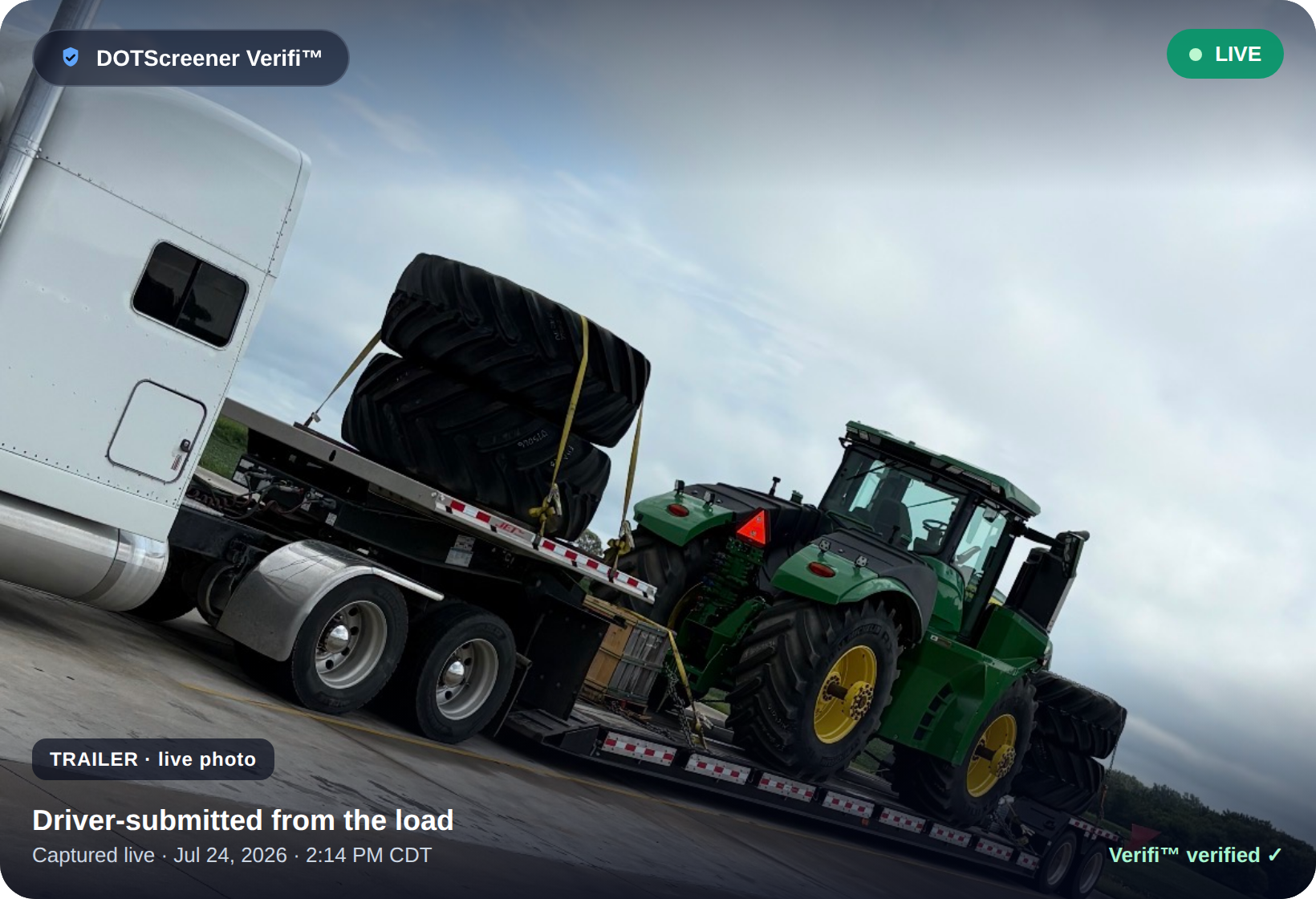
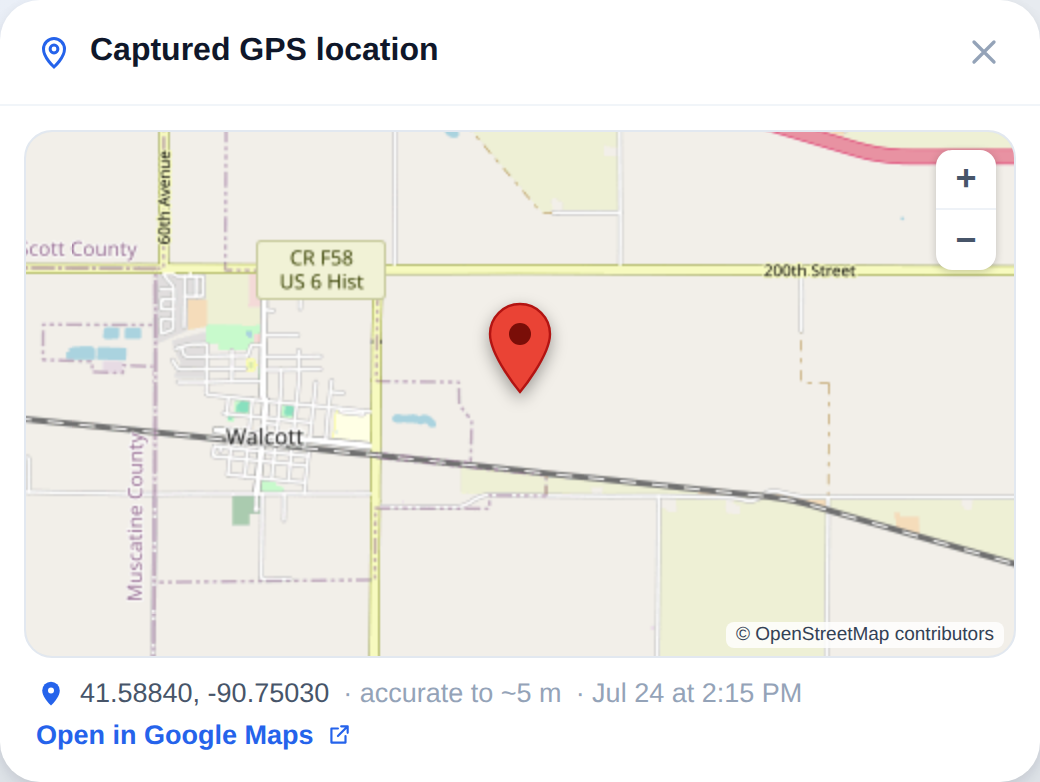
A double-broker can't send a live photo of the actual truck at the pickup they claim. Before the load moves, Verifi™ sends the driver one link and brings back live photos of the truck, trailer, plate & driver's license — plus the exact GPS location on a map — so the carrier you hired is the one hauling. First 3 checks free, then $9.99/month unlimited.
1. Send one link — before pickup
The moment you book, text the driver one link. Pick the photos you need, or location only.
2. Driver taps twice
Live photos + one tap to share GPS. No app, no account, no typing.
3. Confirm the match
Truck, trailer, plate, CDL and location land in your inbox — match them to the carrier before you tender.
No account or card needed to start.
Simple workflow. Stronger records.
Your team screens carriers like normal. DOTScreener preserves the FMCSA snapshot, policy result, attestation status, decision rationale, and timestamp behind the scenes — no extra steps.
Enter MC or DOT
No setup, no training
Get one Review Status
Clear · Review · Elevated · Block — < 60s
Record saved automatically
Timestamped & hash-chained
Authority and insurance are table stakes. Now you can verify the equipment too.
Most screening tools stop at “is this carrier legal to run the load.” DOTScreener goes one layer deeper: what equipment they actually run, and how their tractors and trailers actually pair up on the road.
Year · Make · Model
Every tractor and trailer in their observed fleet, decoded from the manufacturer record.
Axles · length · class
Body class, GVWR class, trailer length, and axle count — the spec your load actually needs.
Tractor ⇌ trailer pairings
Which trailer each tractor most often pulls, derived from observed roadside activity.
Plates · states · last seen
The plates a unit runs under, the states it's been observed in, and how recently.
You're covering a 53′ flatbed load — coils, chains, tarps. Or a hotshot run that needs a 40′ gooseneck. The carrier's authority is clean. Insurance is on file. Their MC checks out.
But has a flatbed ever been observedunder their authority? Most tools can't tell you. DOTScreener can.
Their observed trailer record
Seventeen roadside observations — not one on the equipment your load needs. And if a carrier has noinspection record at all, that's an answer too: nobody has ever observed the equipment they're promising you.
What the screening result shows you
- The tractor fleet they run — make, model, year, and the carrier-assigned unit number on the door.
- The trailers they pull — body type (van, reefer, flat, step deck, tank), length, and axle configuration.
- The pairings that actually run together — which trailers each tractor most often hooks to.
If every trailer on their record is a dry van or a reefer, you know in seconds that this isn't the carrier for your flatbed — before you book them, before a van shows up for a tarped load, before the shipper refuses to load.
Fleet Intelligence is derived from verified public-record sources and manufacturer specifications. It surfaces what is publicly observable; it does not predict future carrier performance or certify safety outcomes.
See where a carrier actually runs.
Every screening now includes a live map of the carrier's roadside footprint: their HQ, every inspection area on their public record, the trailer types observed at each stop, and how far from home they really operate. Click the dots — try it.
Interactive demo with sample data. Every real screening builds this map from that carrier's actual public inspection record.
Shipper Intelligence — the shippers behind the freight
Roadside inspection records name the shipper of the load. DOTScreener turns millions of those records into a searchable directory: which shippers are active, what equipment they ship, how often they appear to ship, month by month — and which carriers haul for them. Evidence-based prospecting for brokers and carriers, built on public federal records.
See who's shipping in your lanes. Get in touch
The question isn't whether you screened the carrier — it's whether you have a contemporaneous record.
In Montgomery v. Caribe Transport II (2026), the Supreme Court unanimously clarified that brokers and shippers owe ordinary care in carrier selection. A documented, timestamped review is how your team shows the steps it actually took.
Unanimous Supreme Court ruling
Brokers and shippers owe ordinary care in carrier selection.
Montgomery v. Caribe Transport II (2026)
Carrier-selection records are the documentation pattern
…your defense counsel will ask for.
DOTScreener carrier-selection record
Screen and document in under a minute
Live FMCSA data, policy evaluation, and record — automatically.
DOTScreener average screen time
DOTScreener documents your carrier-review process using publicly available FMCSA data. It does not predict future carrier performance, certify safety outcomes, or constitute legal advice.
Every screen produces one record
The Carrier Selection Record is a single timestamped document capturing exactly what your team reviewed at the moment of selection. It assembles automatically — nothing extra to fill out.
Live FMCSA snapshot
Authority, insurance filings, BASIC scores, and out-of-service history pulled at the time of the screen.
Policy result
A clear Clear / Review / Block status, evaluated against the thresholds your team configures.
Carrier attestation
The carrier's signed safety attestation and a verification link, captured alongside the data you relied on.
Decision rationale
The reviewer, the decision, and any notes documenting why the carrier was approved or rejected.
Contemporaneous timestamp
A precise time of selection, so the record reflects what was known on the day the load was tendered.
Hash-chained audit trail
Each record is SHA-256 hash-chained, so the file can be shown to be unaltered after the fact.
Teams that book carriers every day run them through DOTScreener
Heavy haul to auto transport — the screen happens before the tender, on every load.
“We move high-value equipment — exactly the freight that double-brokering rings target. DOTScreener catches what a SAFER lookup never shows us: hidden broker authority, reincarnated carriers, insurance that doesn’t match the trucks on the road. And every carrier we’ve approved is re-checked daily, so we know before the next load — not after.”
Tyler Upchurch
HEAT Freight · heavy-haul & equipment transport
“Every carrier we book gets run through DOTScreener first — every single time, no exceptions. Authority, insurance, inspection history, all on one screen in under a minute. In auto transport you’re only as good as the carrier hauling your customer’s vehicle, and this is how we make sure the ones we book are legitimate. It’s simply part of our booking process now.”
Drew
Owner, Simple Car Shipping, LLC · auto transport
What makes it different
Most tools help you look up a carrier. DOTScreener documents the actual screening result — and works alongside the stack you already use.
Carrier Selection Record
Generated automatically after every screen. One timestamped PDF bundling the FMCSA snapshot, insurance filings, OOS history, signed attestation, and a hash-chained audit trail.
Insurance document intelligence
Upload a Certificate of Insurance and it's read automatically — coverage types, limits, and effective dates extracted — then the schedule of insured VINs is cross-checked against the carrier's FMCSA inspection history to confirm the coverage matches the trucks actually on the road.
Continuous monitoring
Screening doesn't stop at approval. Carriers you approve or dispatch are re-checked against FMCSA every day — authority, safety rating, insurance, and OOS — and you're alerted the moment something changes. Included in your plan.
Carrier Onboarding
Onboard any carrier in under a minute. Send your branded packet in one click — the carrier verifies the info you already have, e-signs your exact agreement from their phone, and uploads COI, W-9, and authority. You're notified the moment they finish.
Fleet Intelligence layer
Beyond authority and insurance: the equipment the carrier actually runs — tractors, trailers, axle configs, and which trailer each tractor pulls.
Out-of-Service signal
389k+ OOS records checked live on every screen. Active or rescinded — surfaced at the top of the report. The signal SAFER doesn't show.
Benchmark context
Every risk number is shown against FMCSA national averages, so a 30% vehicle OOS rate reads as 'above average' — not just a number on a page.
Built-in attestation
Carriers sign a safety attestation and receive a verification link they can forward. You get a documented response — no phone calls, no paperwork.
Configurable thresholds
Set OOS multipliers, crash limits, BASIC alert thresholds, and authority-age cutoffs to your own standard. The review flags what exceeds them.
Verifiable evidence packet
Every record carries a public verification link. Anyone you share it with can re-walk the hash-chained audit trail and confirm the FMCSA snapshot hasn't been altered.
Carrier monitoring tools
Track status changes, alerts, insurance, and compliance over time.
Risk analytics tools
Review carrier risk against your policy and surface benchmark comparisons.
DOTScreener
Documents the actual screening decision at the moment your team approves or rejects a carrier.
DOTScreener does not replace Carrier411, RMIS, SaferWatch, Highway, or your current process. It adds the missing documentation record to the workflow your team already uses.
One plan. Unlimited reviews.
Try everything free for 14 days, then it's $99/month plus $14.99/month per additional user. No per-review limits. Carrier profiles are always free.
+ $14.99/month per additional user · unlimited carrier reviews
- ✓Unlimited carrier reviews — no cap, no overage
- ✓Policy workflows, attestations, audit exports
- ✓PDF Carrier Selection Records on every screen
Frequently asked questions
What does DOTScreener actually do?
It gives your team a simple PASS / WARN / FAIL carrier screening workflow, plus a fleet-intelligence layer that surfaces what equipment the carrier actually runs — tractors, trailers, axle configs, and the trailers each tractor most often pulls. Every screen saves a timestamped Carrier Selection Record automatically.
How does Fleet Intelligence work?
When you screen a carrier, DOTScreener also returns a fleet roster — the tractors and trailers observed under that carrier, their year/make/model, axle and length specs, the plates they run, and the trailer↔tractor pairings most often seen together. It's derived from verified public-record sources and manufacturer specifications, not carrier self-report. The full method is proprietary; what you see is what's there.
Is this legal protection?
No. DOTScreener is an operational documentation tool, not legal advice or a guarantee of any outcome. It documents the information your team reviewed at the time of selection so you have a contemporaneous, organized record.
Do I need to replace my current tools?
No. DOTScreener works alongside Carrier411, RMIS, SaferWatch, Highway, your TMS, and your existing process. It adds the documentation record most teams are missing.
How long does a screen take?
Under 60 seconds. Enter an MC or DOT number, review the result against your policy, and the record is saved automatically — no extra steps, no training.
Document your next carrier selection
Screen a carrier in under 60 seconds. Completely free — no credit card, no setup, no IT involvement. Free for brokers, shippers, and carriers alike.